My Car Fitment Guide
Enter your rego once and we will match parts to your exact vehicle, right down to the series and engine. Here is how it works, step by step.
Add your vehicle
Only the first two steps need anything from you, and you only do this once.
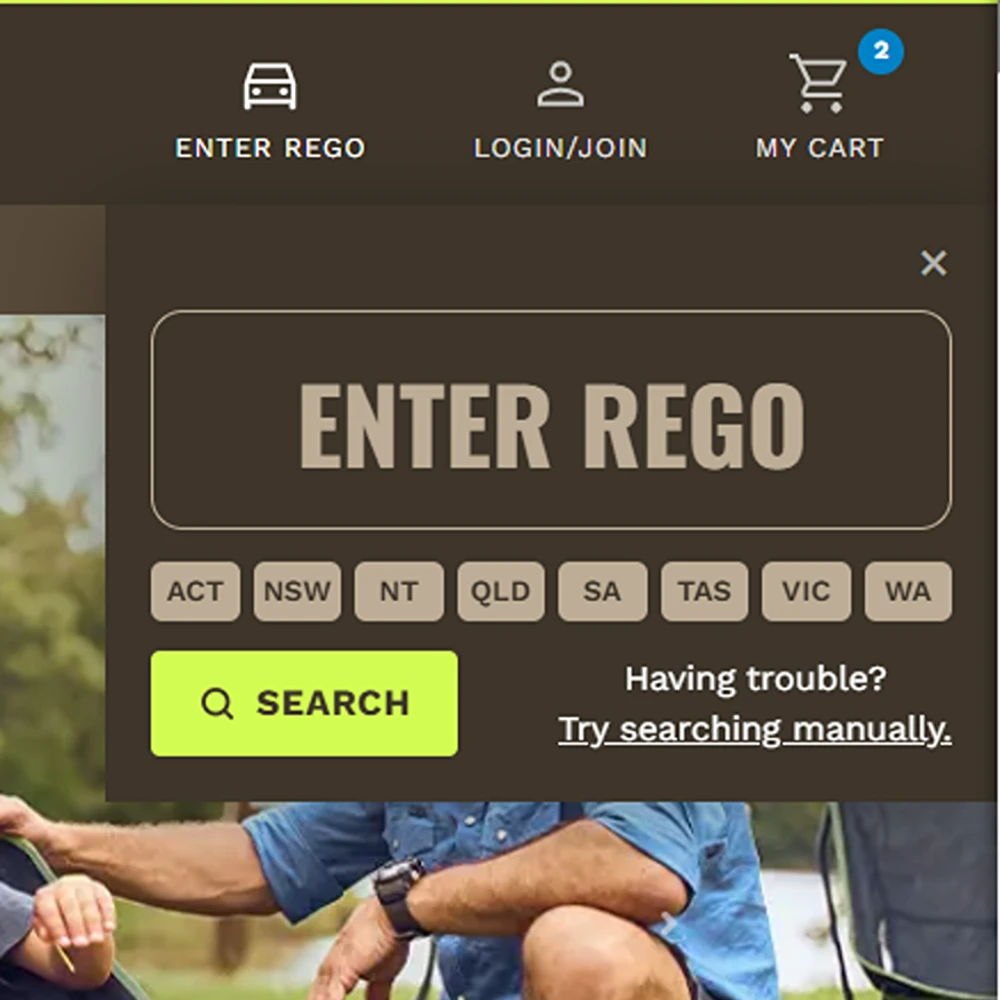
Enter your rego number
Click ENTER REGO in the top bar and type your plate. Up to seven characters, and spaces do not matter.
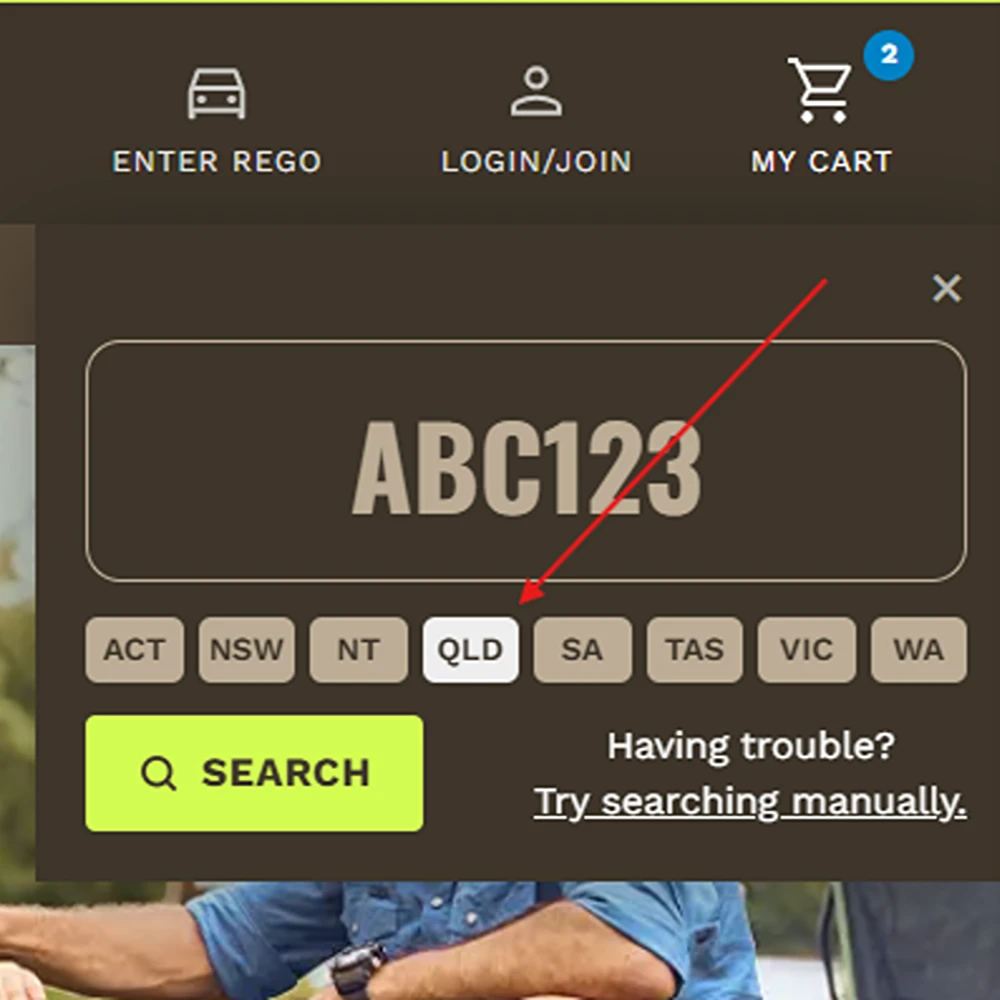
Select your state
Pick the state it is registered in. The same plate can be issued in more than one state, so we need both. Then hit Search.
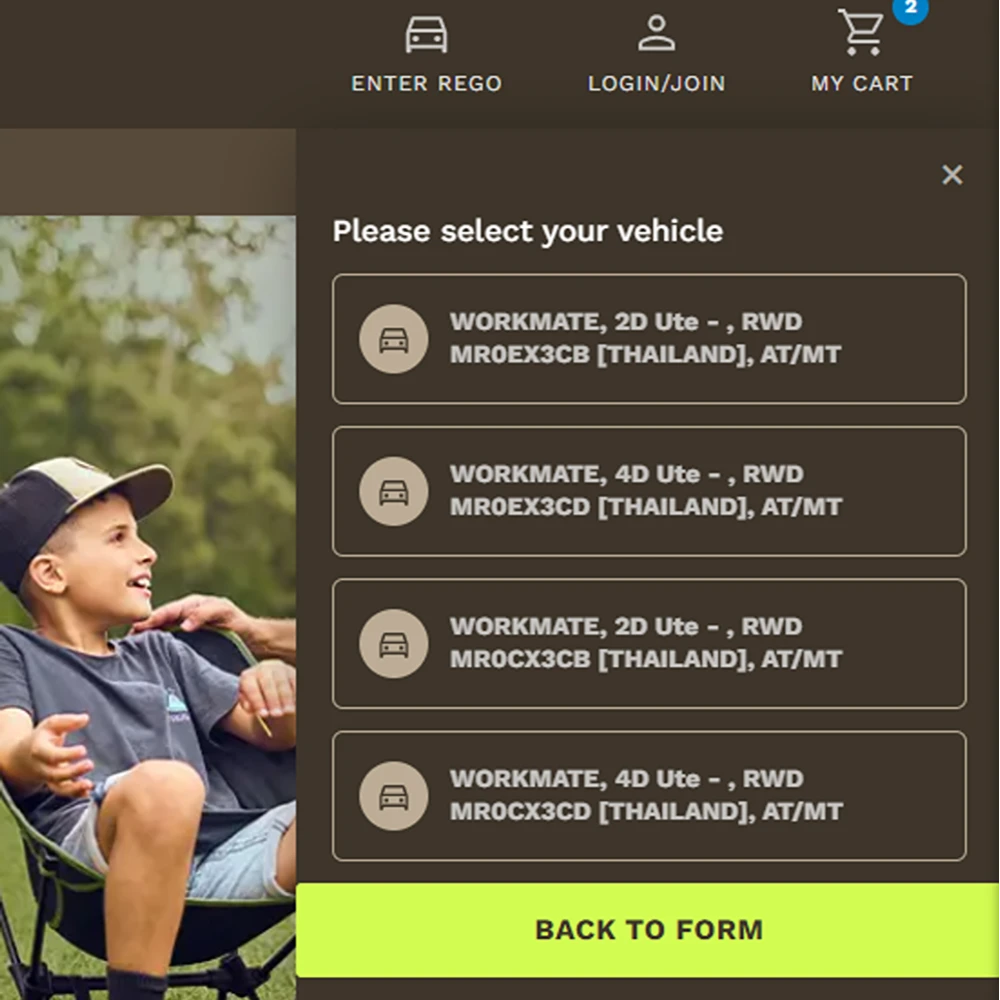
Select your model if prompted
If one plate matches several builds you will see Please select your vehicle. Pick the one matching your series and engine.
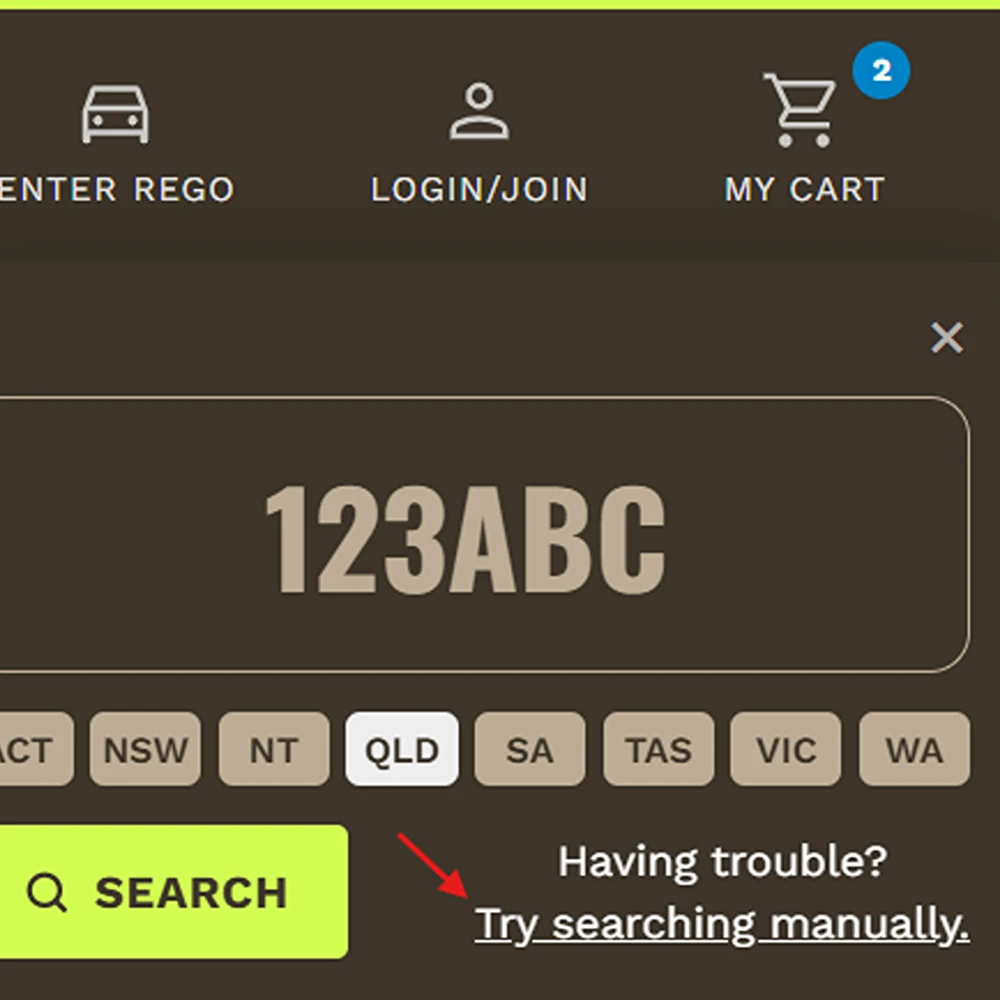
No rego? Use the manual form
Click Try searching manually and work down five dropdowns: make, model, year, series and engine.
Shop parts that fit
With a vehicle saved, the whole site knows what you drive.
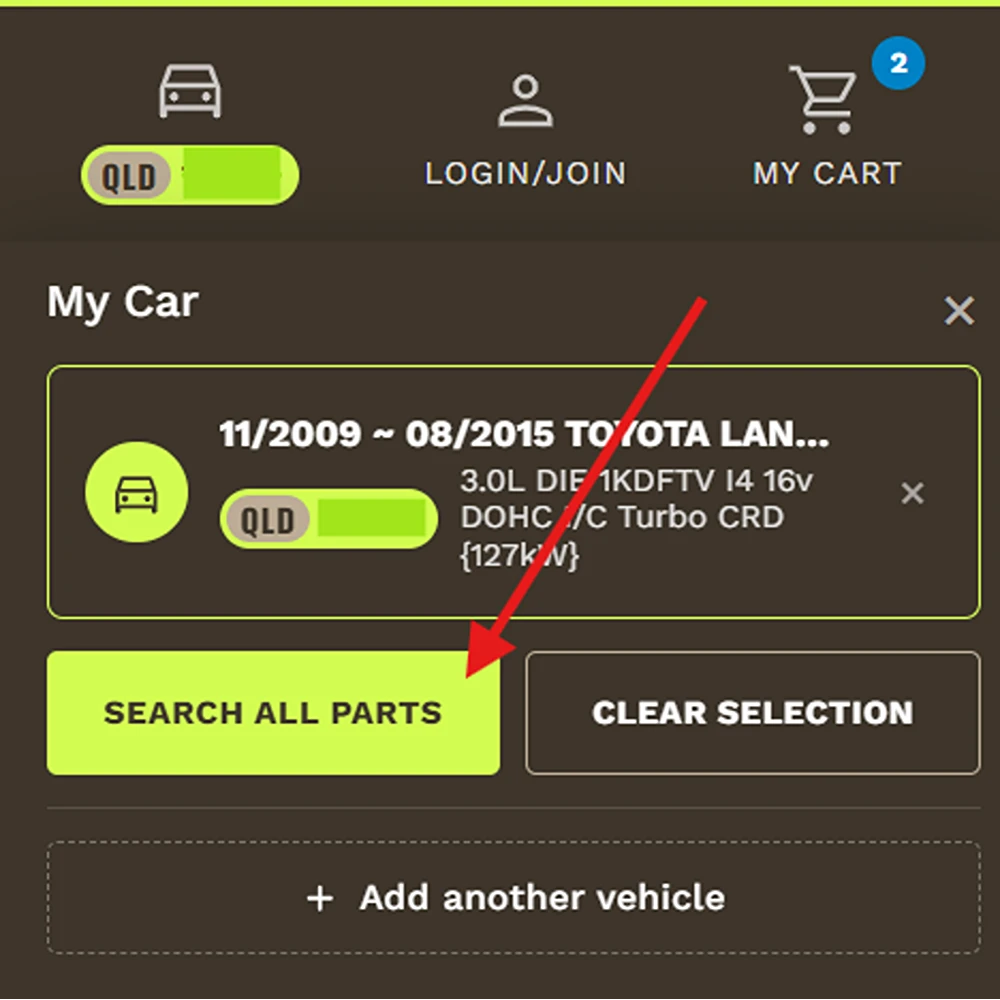
Click "Search all parts"
Your vehicle now sits in the My Car panel. Search all parts opens everything we stock that matches it.
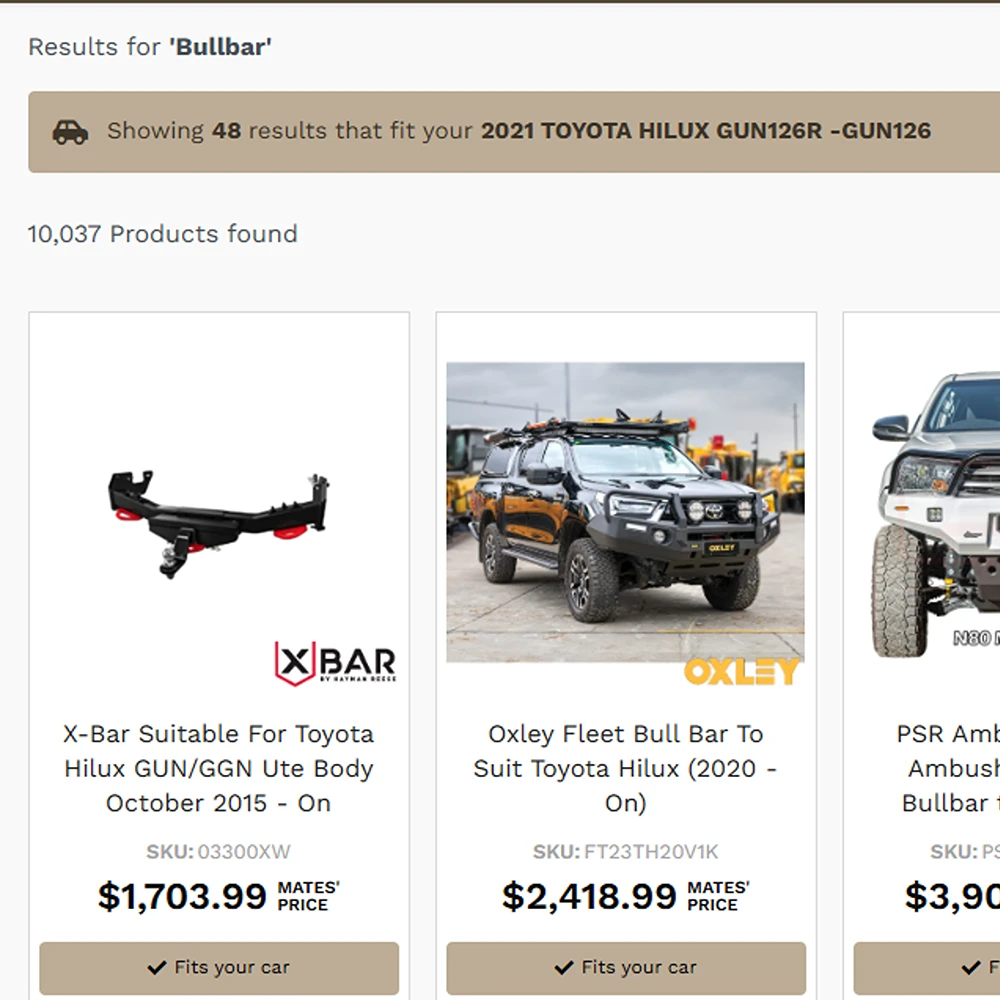
Use the search bar for a specific part
Search or browse as normal. A banner shows how many results fit your vehicle, and matching products carry a Fits your car badge.
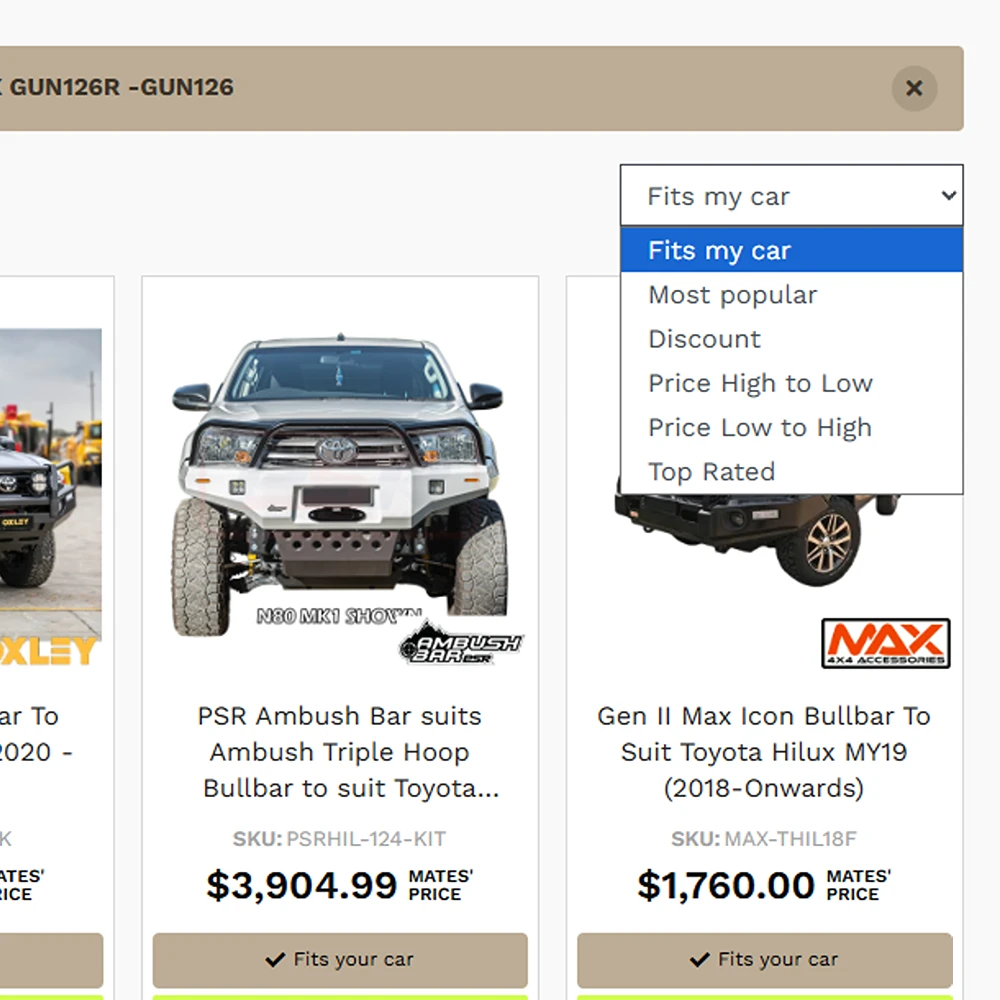
Switch the sort to see everything
Results default to Fits my car. Change the sort, or click Show all results in the banner, to see the full range again.
Manage your car
Run a ute, a wagon and the boat tow vehicle? Save them all and switch between them.
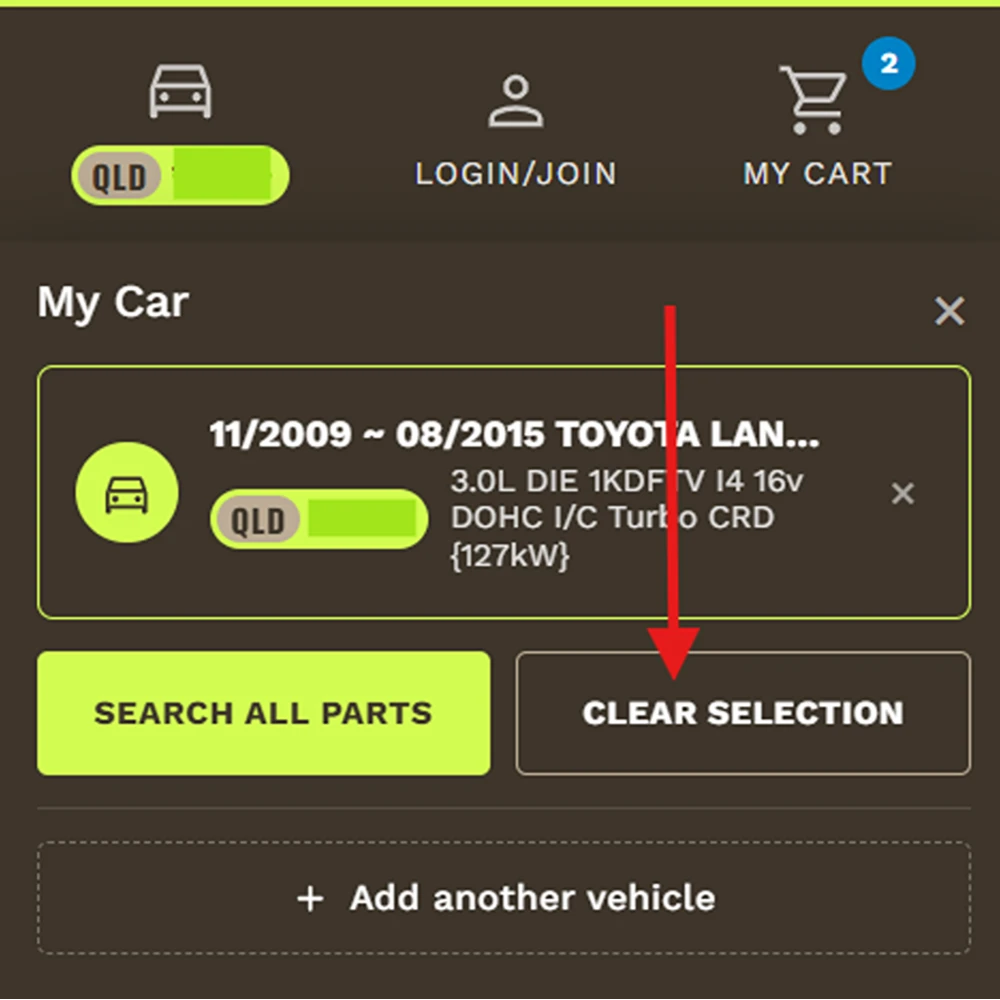
Clear your selection
Clear selection switches the fitment filter off. Your saved vehicles stay in the garage.
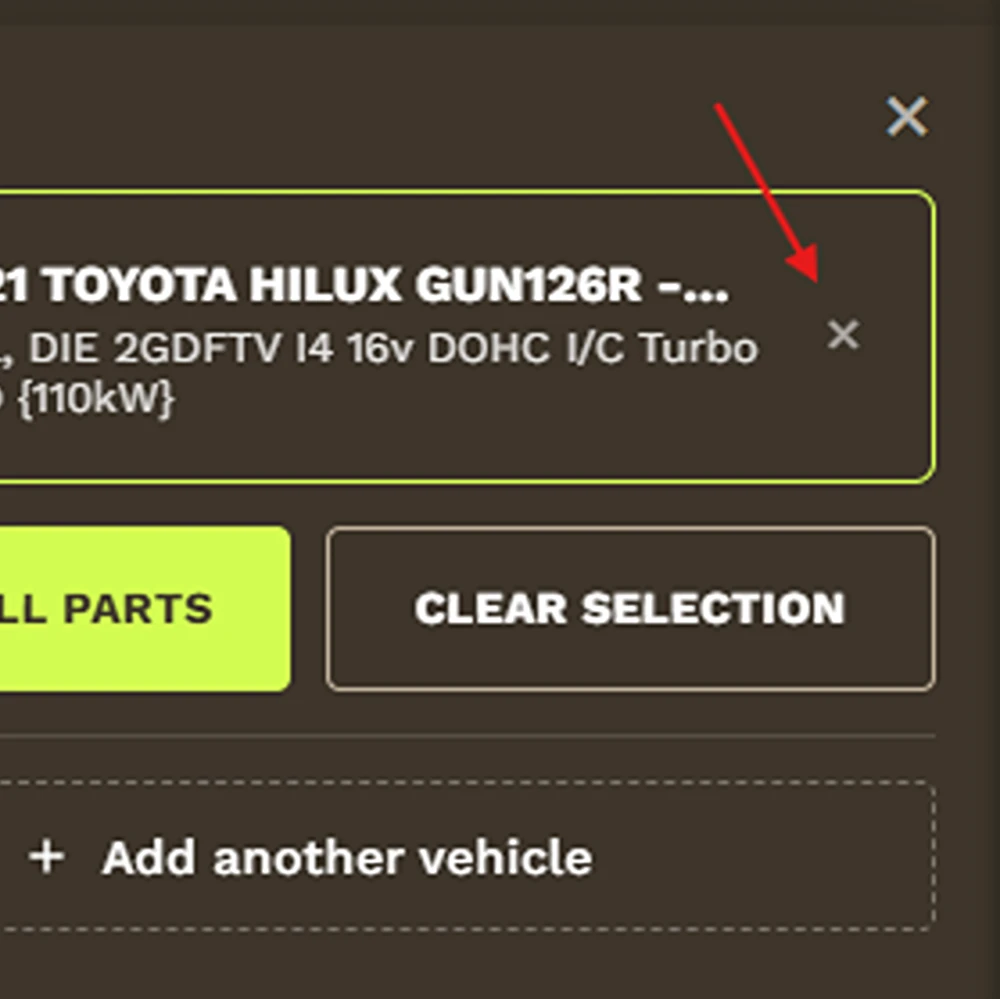
Delete a vehicle
Click the small × on the right of its tile. Not the larger × in the top corner, which only closes the panel.
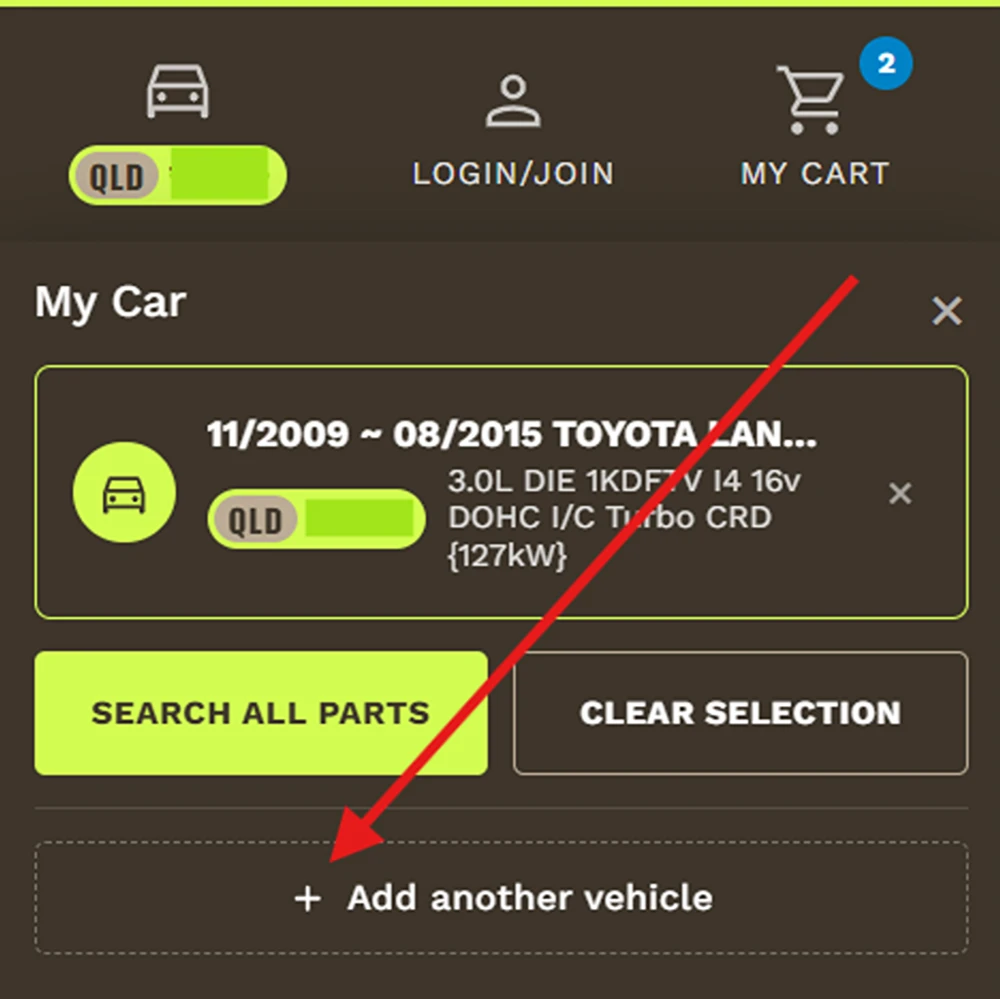
Add another vehicle
Add another vehicle saves a second car. Click any tile to make that vehicle the active one.
Try it out
Add your vehicle, then pick a category. Everything you see will be matched to what you drive.
Add your vehicleHow the matching works
When you enter a rego, we look it up against industry-standard vehicle data and resolve it to a specific build: year, make, model, series and engine. That build is then matched against the fitment data our suppliers give us for each product.
It is the same data the trade uses, and it is good. It is not infallible.
We do not offer a fitment guarantee. The parts finder is a filter, not a promise. Vehicle records can be incomplete, and a previous owner may have changed something the data does not know about. If a part matters and you are not certain, check with us through the Help Centre before you order.
Why some products have no fit result
A lot of what we sell is not vehicle-specific. Camping gear, portable fridges, water tanks, fishing tackle, tools and most 12V accessories fit anything, so there is nothing to match them against. Those products carry no fit badge and will not appear when results are sorted by fitment.
If you are shopping for that kind of gear, use Clear selection or change the sort so you are seeing the full range.
What to check before you order
- The series and engine on the vehicle you selected match your build
- The product page notes, which carry any conditions the supplier has flagged
- Whether anything on your vehicle has already been modified, particularly bar work, suspension and anything bolted to the chassis
Still unsure? Ask the team. We would much rather answer a question than process a return.
Common questions
The things people ask us about the parts finder.
Does Outback Equipment have a parts finder?
Yes. Our vehicle parts finder sits in the top bar of every page. Enter your rego and your state, or search manually by make, model, year, series and engine, and we will match products to your vehicle across the site.
How do I find parts that fit my car?
Add your vehicle to the garage, then shop as you normally would. Category pages and search results show how many products fit your vehicle, matching products carry a Fits your car badge, and Search all parts opens everything we stock for it in one list.
Can I search by rego?
Yes. Enter your number plate and choose the state it is registered in. Both are needed, because the same plate can be issued in more than one state.
What if my rego does not come up?
You will see a message saying we could not resolve that vehicle. Check the plate and the state first. If it still will not resolve, click Try searching manually and select your make, model, year, series and engine instead. Very new vehicles, imports and vehicles with a recent plate change are the usual culprits.
Which states and territories are supported?
All eight: ACT, NSW, NT, QLD, SA, TAS, VIC and WA.
Can I save more than one vehicle?
Yes. Click Add another vehicle and add as many as you like. Click any vehicle in your garage to make it the active one, and remove a vehicle with the small cross on its tile.
Why do some products not show whether they fit?
Because they fit anything. Camping gear, fridges, water tanks, fishing gear, tools and most 12V accessories are not vehicle-specific, so there is no fitment data to match. Clear your selection or change the sort to see the full range.
Do you guarantee the part will fit?
No. We use industry-standard vehicle matching and supplier fitment data, which is what the trade uses, but we do not offer a fitment guarantee. Treat the parts finder as a filter that narrows things down. If you are not certain, check with us through the Help Centre before you order.
Is my rego stored?
Your saved vehicles are kept in your own browser so the site remembers them next time you visit. Clearing your browser data, or removing a vehicle with the cross on its tile, removes them.
Need a hand?
If the parts finder is not giving you what you expect, or you want a second opinion before you order, our team in Acacia Ridge knows this gear.
