
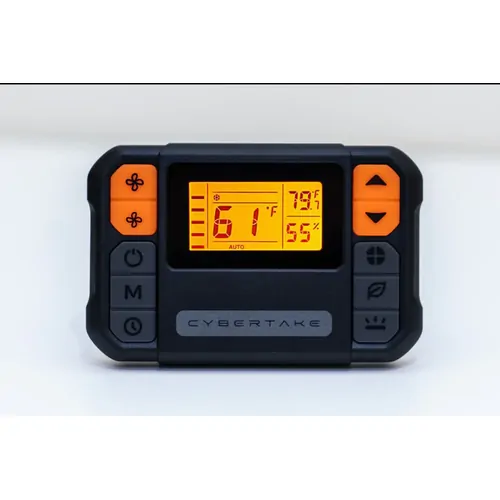
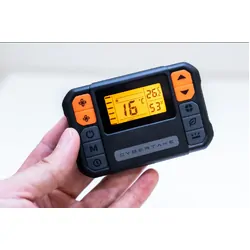
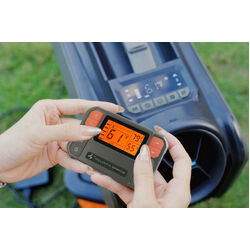

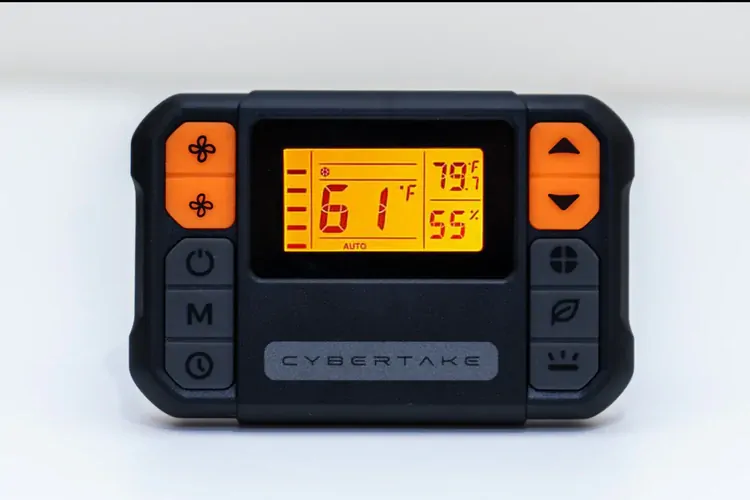
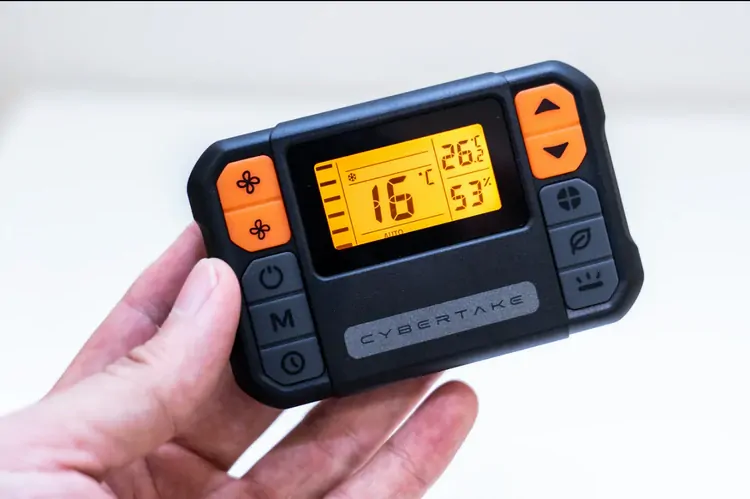
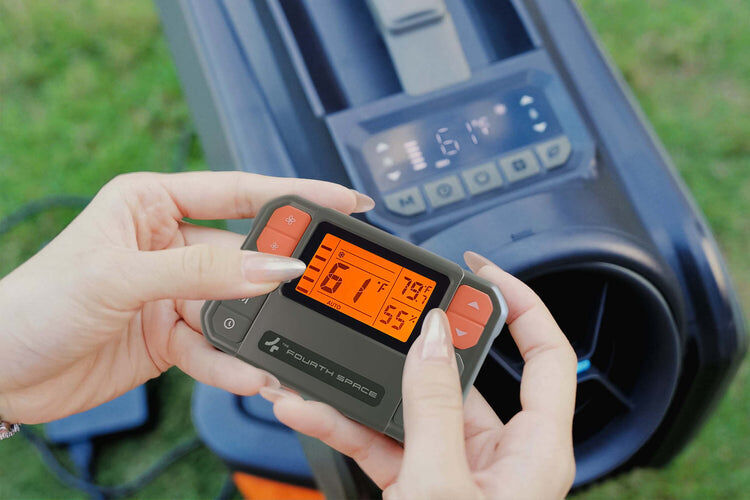
Convenience at your fingertips. Whether you own the Cybertake S1 Pro or S2 Pro, our tailored remote controls let you fine-tune your cooling without leaving your seat. Two versions available, built to match your unit perfectly.
Wireless Remote Control: Durable and impact-resistant, featuring silicone buttons with light-absorbing orange sections for easy locating at night. It includes a magnetic attachment to prevent loss and can also function independently as a thermometer and hygrometer, offering great versatility.
1. BUTTONS
- Increase wind speed: Boosts the airflow intensity. Reduce wind speed: Decreases the airflow intensity. Power switch: Turns the air conditioner on or off. Max mode: Activates maximum cooling . Timing button: Sets delay for automatic shut off/on. Increase temperature: Raises the temperature setting.
- Reduce temperature:Lowers the temperature setting. Function mode:Cycles through various modes(cooling,heating). ECO mode: Actives energy-efficient operation.
- ECO+ mode:Enhanced energy saving mode. Light button:Controls the backlight of the display.
2. DISPLAY ICONS
- Wind speed display:shows current airflow level. Max mode:indicates when max mode active. Auto mode: Display automatic operation status. ECO and ECO+ modes:Indicates energy saving operations. Timing display: shows timer setting.
- Refrigeration function icon: Indicates cooling mode. Dehumidification function icon:indicates dehumidifying mode. Air supply function icon:shows air circulation mode. Heating function icon:Displays heating mode status. Ambient temperature display: shows current room temperature. Celsius/Fahrenheit Toggle:Indicates temperature unit setting.
- Set Temperature Display:Shows the desired temperature setting. Ambient Humidity Display: Indicates current humidity level.
Compatible with S1 Pro and S2 Pro. (Not compatible with S1)
Tech Specs
| Button Material | Silicone (orange parts are fluorescent) |
| Screen | LED display |
| Magnetic Function | Yes |
| Temperature Unit | Switchable between ℉ and ℃ |
| Dimensions | 9.3 x 6.1 x 1.5 cm |
How to Pair Wireless Remote Control with Cybertake Air Conditioner
- Insert Batteries: Install the batteries into the remote control and power it on.
- Enter Pairing Mode: When the air conditioner is turned on, press and hold the ECO button on the air conditioner for 6 seconds until "--" appears on the display.
- Complete Pairing: Press any button on the remote control to complete the matching process.
Is the wireless remote control compatible with both S1 Pro and S2Pro?
- Yes, it is compatible with both.
- Note: The heating function is only available on Cybertake S2 Pro. For more details, please contact customer service.
How to Switch Between Farenheit and Celcius Display?
- The default temperature unit is Celsius (°C). To switch to Fahrenheit (°F), press and hold the light button for 3 seconds.
Is the Wireless Remoted Control battery operated?
- Yes, it requires 2 pieces of LRO3 AAA (1.5V) batteries.

| SKU | Cybertake_remotecontrol |
|---|---|
| Barcode # | OEBC695969 |
| Brand | Cybertake |
| Shipping Weight | 0.2000kg |
| Shipping Width | 0.155m |
| Shipping Height | 0.018m |
| Shipping Length | 0.092m |
Download instructions to help you install, use and get the most out of your product.
Remote Control


 More info
Make 4 payments of $10.50 over 8 weeks and get it now!



Calculate Shipping
Convenience at your fingertips. Whether you own the Cybertake S1 Pro or S2 Pro, our tailored remote controls let you fine-tune your cooling without leaving your seat. Two versions available, built to match your unit perfectly.
Wireless Remote Control: Durable and impact-resistant, featuring silicone buttons with light-absorbing orange sections for easy locating at night. It includes a magnetic attachment to prevent loss and can also function independently as a thermometer and hygrometer, offering great versatility.
1. BUTTONS
- Increase wind speed: Boosts the airflow intensity. Reduce wind speed: Decreases the airflow intensity. Power switch: Turns the air conditioner on or off. Max mode: Activates maximum cooling . Timing button: Sets delay for automatic shut off/on. Increase temperature: Raises the temperature setting.
- Reduce temperature:Lowers the temperature setting. Function mode:Cycles through various modes(cooling,heating). ECO mode: Actives energy-efficient operation.
- ECO+ mode:Enhanced energy saving mode. Light button:Controls the backlight of the display.
2. DISPLAY ICONS
- Wind speed display:shows current airflow level. Max mode:indicates when max mode active. Auto mode: Display automatic operation status. ECO and ECO+ modes:Indicates energy saving operations. Timing display: shows timer setting.
- Refrigeration function icon: Indicates cooling mode. Dehumidification function icon:indicates dehumidifying mode. Air supply function icon:shows air circulation mode. Heating function icon:Displays heating mode status. Ambient temperature display: shows current room temperature. Celsius/Fahrenheit Toggle:Indicates temperature unit setting.
- Set Temperature Display:Shows the desired temperature setting. Ambient Humidity Display: Indicates current humidity level.
Compatible with S1 Pro and S2 Pro. (Not compatible with S1)
Tech Specs
| Button Material | Silicone (orange parts are fluorescent) |
| Screen | LED display |
| Magnetic Function | Yes |
| Temperature Unit | Switchable between ℉ and ℃ |
| Dimensions | 9.3 x 6.1 x 1.5 cm |
How to Pair Wireless Remote Control with Cybertake Air Conditioner
- Insert Batteries: Install the batteries into the remote control and power it on.
- Enter Pairing Mode: When the air conditioner is turned on, press and hold the ECO button on the air conditioner for 6 seconds until "--" appears on the display.
- Complete Pairing: Press any button on the remote control to complete the matching process.
Is the wireless remote control compatible with both S1 Pro and S2Pro?
- Yes, it is compatible with both.
- Note: The heating function is only available on Cybertake S2 Pro. For more details, please contact customer service.
How to Switch Between Farenheit and Celcius Display?
- The default temperature unit is Celsius (°C). To switch to Fahrenheit (°F), press and hold the light button for 3 seconds.
Is the Wireless Remoted Control battery operated?
- Yes, it requires 2 pieces of LRO3 AAA (1.5V) batteries.
| SKU | Cybertake_remotecontrol |
|---|---|
| Barcode # | OEBC695969 |
| Brand | Cybertake |
| Shipping Weight | 0.2000kg |
| Shipping Width | 0.155m |
| Shipping Height | 0.018m |
| Shipping Length | 0.092m |
Download instructions to help you install, use and get the most out of your product.